
ScoreArena
How to set up a tournament
Eight steps from signing up to the final. A small tournament takes about ten minutes — everything you enter shows up on the tournament's public page straight away.
In the print window choose “Save as PDF”.
- 1
Step 1
Create an account
Signing up is free: your name or your club's name, an email and a password. Confirm the email from the message you get and you're in the admin, where all your tournaments are.
Sign up →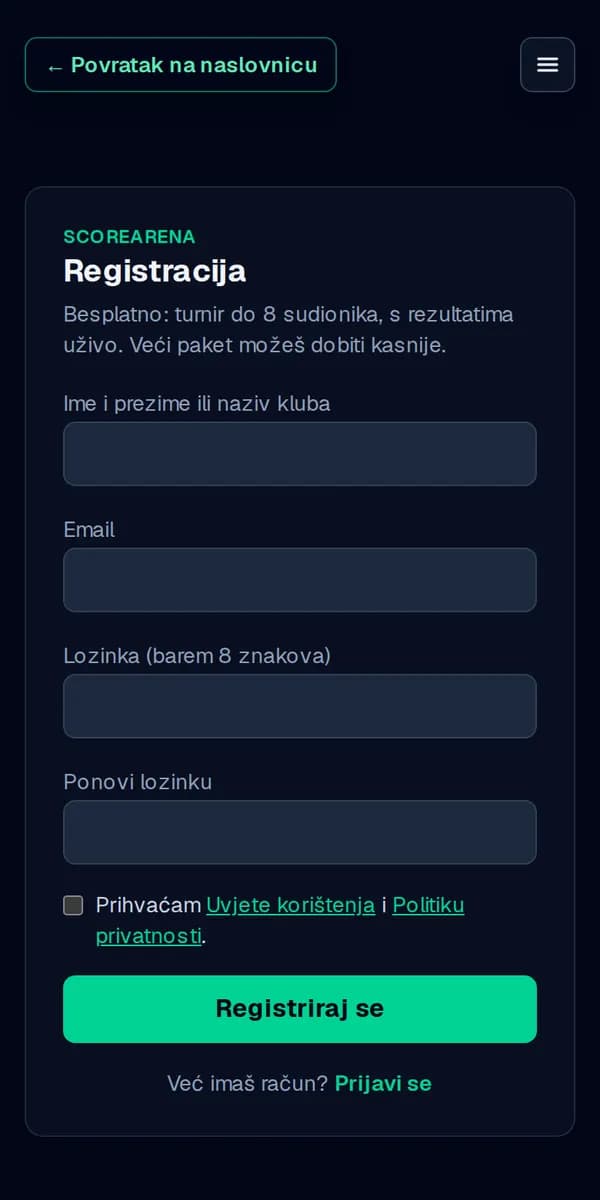
- 2
Step 2
New tournament: sport, name and format
Click “New tournament”. Pick the sport first — it decides the scoring and who competes (teams, pairs or individuals). Enter the name, place and dates; the tournament's link is made from the name. Last, pick the format: league, cup, Swiss system or groups + knockout.
💡 The sport, the format and who competes are picked here; the name, dates, look and the rest can be changed later in Settings.
New tournament →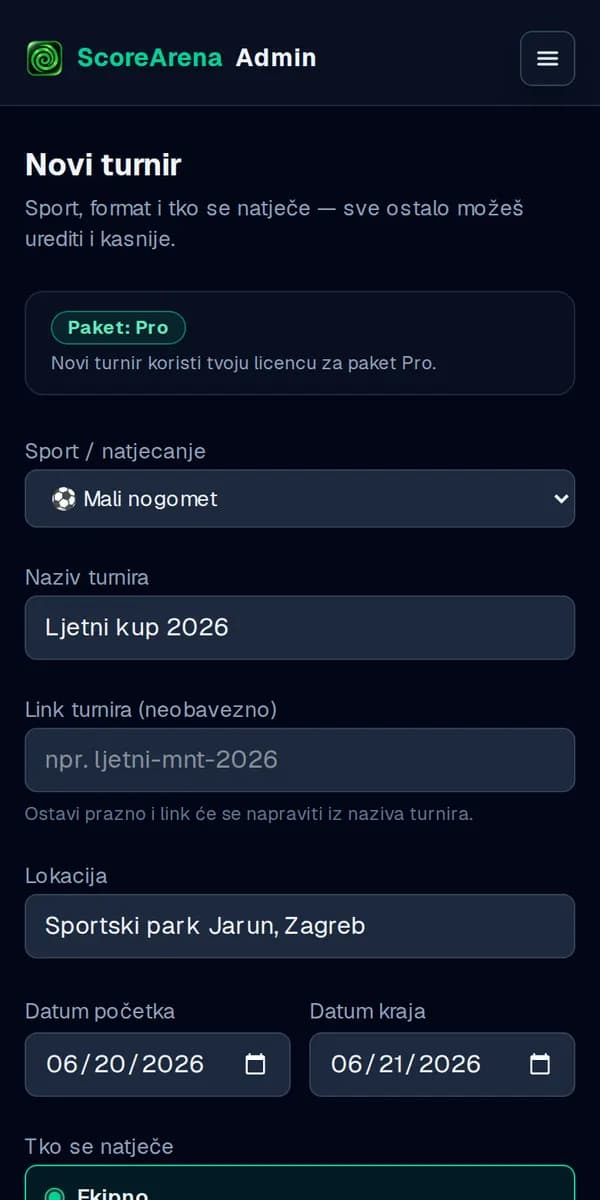
- 3
Step 3
Add the teams
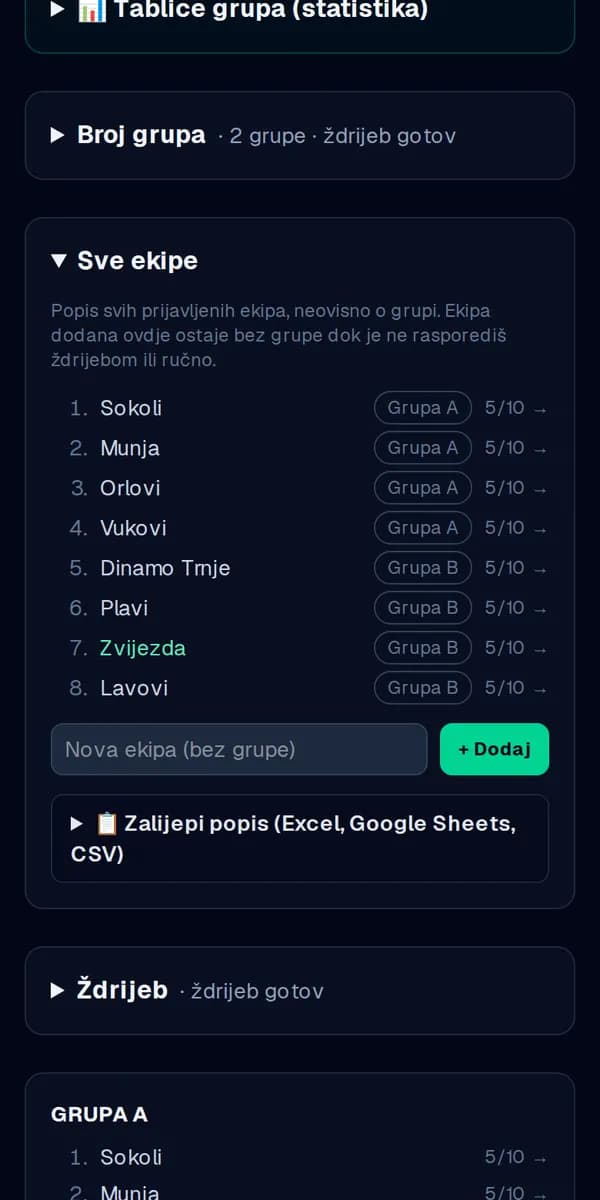
In “Teams and groups” add teams one by one or paste a whole list from Excel, Google Sheets or a CSV. Click a team to enter its players and their numbers.
💡 Free plan: up to 8 participants, Basic up to 64, Pro unlimited.
- 4
Step 4
Groups, draw and schedule
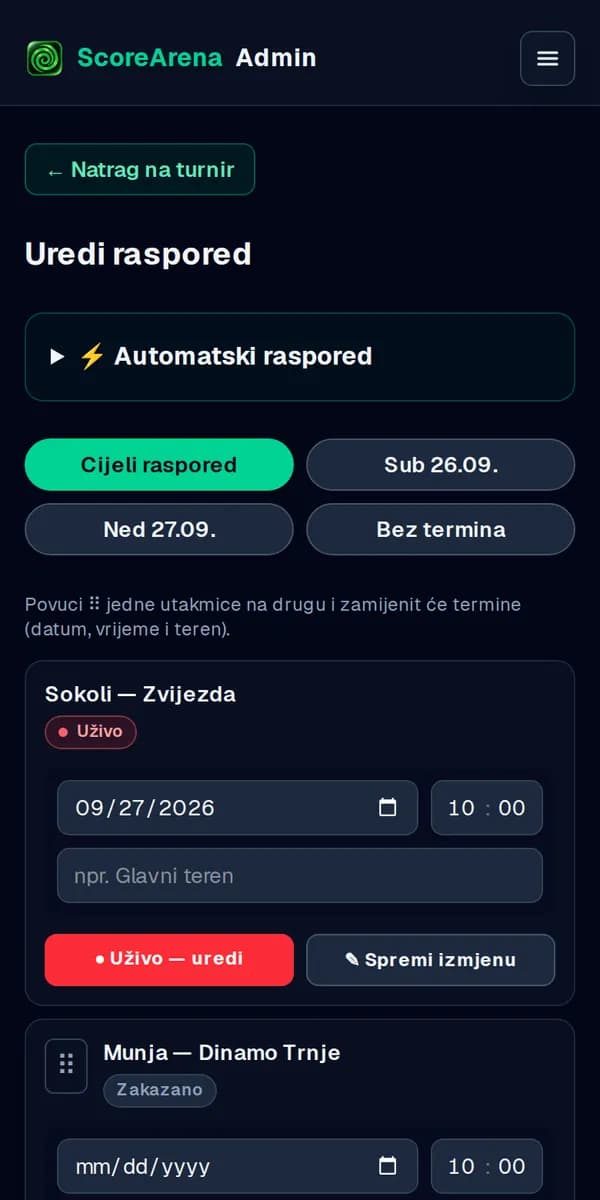
Pick the number of groups and make the draw — the teams are placed for you, and you can move them by hand. The matches are created straight away. In “Schedule” give each match a day, a time and a court; drag one match onto another to swap their slots.
💡 The automatic schedule (kickoff times, courts, end of day) and a live draw on a big screen are part of Pro.
- 5
Step 5
Invite moderators
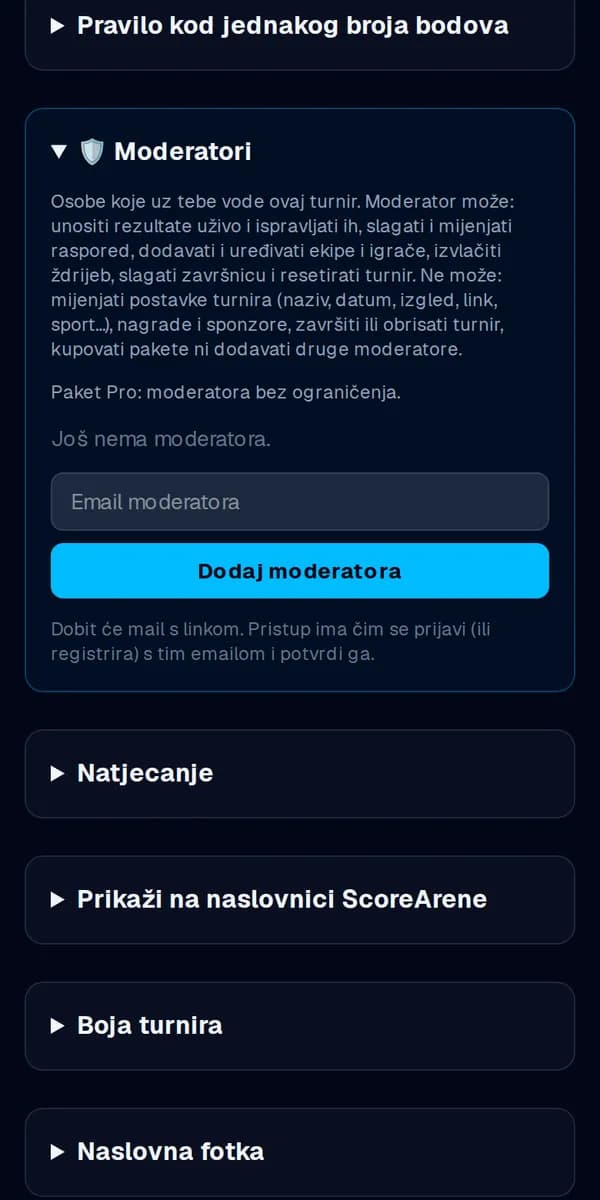
You don't have to do it all yourself. In “Settings → Moderators” enter the email of someone helping you: they get an email with a link, and once signed in they can enter results, run matches and edit teams and the schedule.
💡 Basic has 2 moderators, Pro unlimited.
- 6
Step 6
Share the tournament's link
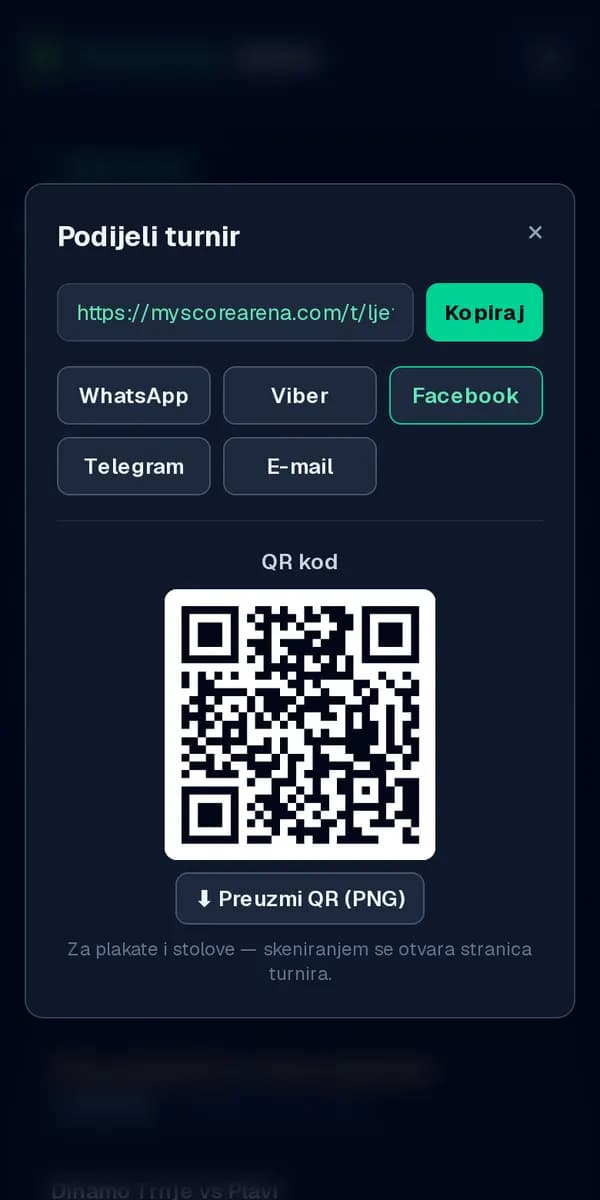
The tournament's public page opens with no sign-up and no app: results, tables, schedule and scorers. The “Share” button sends the link to WhatsApp, Viber, Facebook or email, and the QR code can be downloaded for posters and tables.
- 7
Step 7
Tournament day: live results
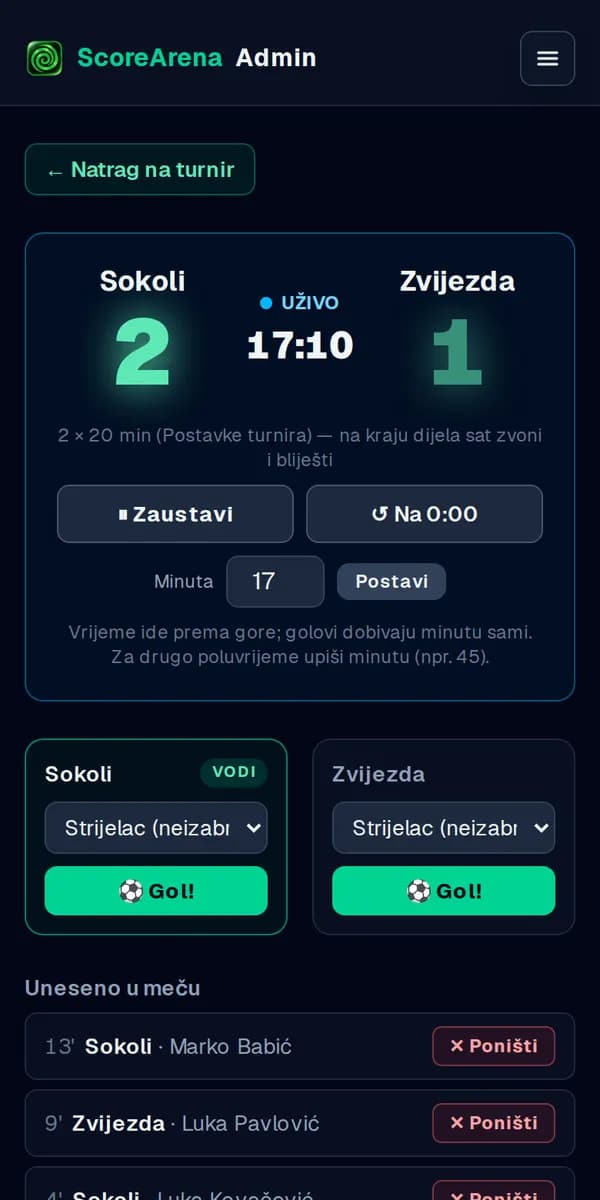
Click “Start” on a match. The clock runs as a stopwatch or counts down the length from Settings, with a signal at the end of each part. “Goal!” records the scorer and the minute, “Undo” removes a wrong entry and “Finish match” locks the result. The audience sees it all the same second.
💡 Scorers and the top scorers list are part of Pro; every plan has live results.
- 8
Step 8
Knockout stage and the end
When the groups are done, the best teams go to the knockout stage, and the winner of each match moves on by itself up to the final. In “Prizes and partners” enter the prizes and sponsors. At the end click “Finish tournament” in Settings — the results stay public.
💡 Groups + knockout are available from the Basic plan; prizes and sponsors are part of Pro.
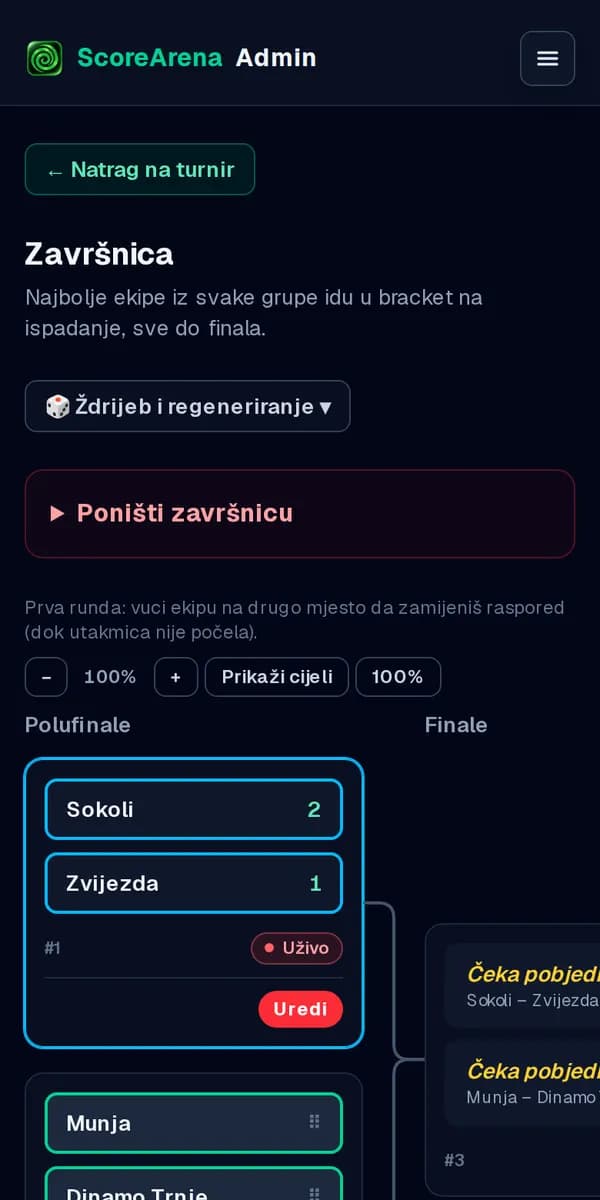
The screenshots are from a phone (in Croatian); on a computer it's all the same, just wider.
Ready for your first tournament?
The free plan has a tournament of up to 8 participants with live results. A bigger plan can come later.
Questions? Write to us at info@myscorearena.com.